

Links
https://github.com/EndyKaufman/kaufman-bot - source code of bot
https://telegram.me/KaufmanBot - current bot in telegram
https://telegram.me/DevelopKaufmanBot - current bot in telegram (develop-branch)
Create new environment "prod" in github
Create dialogflow project


Create server environments
Add host

Add ssh key

Create data base options
Add root password

Add application connection string

Create telegram environments
Add domain for production

Add webhook path

Change host in dev stage

Remove telegram token from dokku application in VPS
dokku config:unset kaufman-bot TELEGRAM_BOT_TOKEN --no-restart
Add telegram token to dev stage in github

Add telegram token to prod stage in github

Add environments for different names bot
In production

In production Russian

In develop
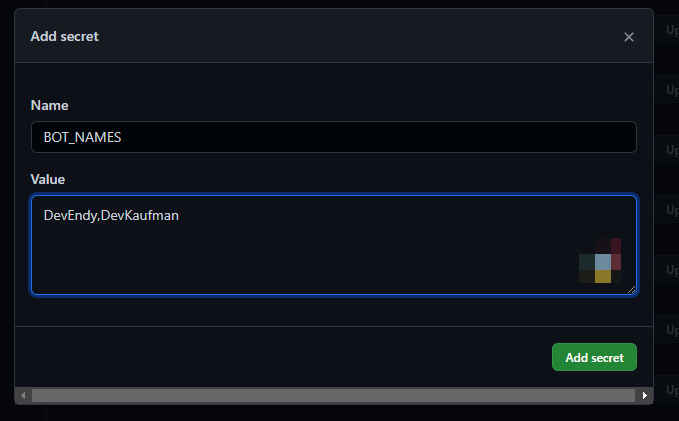
In develop Russian
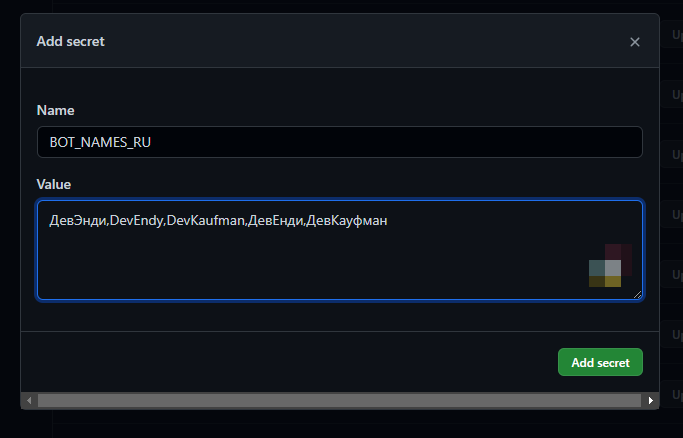
Create new application in VPS
Create application
dokku apps:create develop-kaufman-bot
root@vps17825:~# dokku apps:create develop-kaufman-bot
-----> Creating develop-kaufman-bot...
Link domain to dokku application
domains:add develop-kaufman-bot develop-kaufman-bot.site15.ru
root@vps17825:~# dokku domains:add develop-kaufman-bot develop-kaufman-bot.site15.ru
-----> Added develop-kaufman-bot.site15.ru to develop-kaufman-bot
 !     No web listeners specified for develop-kaufman-bot
For link ssl certificate you must deploy project, we need deploy new version of develop stage
Update develop ci config
.github/workflows/develop.deploy.yml
name: 'deploy'

# yamllint disable-line rule:truthy
on:
  push:
    branches:
      - develop

jobs:
  migrate:
    runs-on: [self-hosted, develop-vps]
    environment: dev
    steps:
      - name: Cloning repo
        uses: actions/checkout@v2
        with:
          fetch-depth: 0

      - name: Apply migrations
        run: |
          curl -o- https://raw.githubusercontent.com/nvm-sh/nvm/v0.39.1/install.sh | bash
          . ~/.nvm/nvm.sh
          nvm --version
          nvm install v16.13.2
          nvm use v16.13.2
          npm i --force
          export POSTGRES_HOST=$(dokku postgres:info global-postgres --internal-ip)
          export ROOT_POSTGRES_URL=postgres://postgres:${{secrets.ROOT_POSTGRES_PASSWORD}}@${POSTGRES_HOST}:5432/postgres?schema=public
          export SERVER_POSTGRES_URL=${{secrets.SERVER_POSTGRES_URL}}
          npm run rucken -- postgres
          export DATABASE_URL=$SERVER_POSTGRES_URL && npm run migrate
          export DEPLOY_DATE=$(date +'%Y-%m-%d %H:%M:%S')
          export DEPLOY_COMMIT=$GITHUB_SHA
          export DEPLOY_VERSION=$(node -pe "require('./package.json')['version']")
          dokku config:set --no-restart develop-kaufman-bot SERVER_POSTGRES_URL=$SERVER_POSTGRES_URL
          dokku config:set --no-restart --global POSTGRES_HOST=global-postgres
          dokku config:set --no-restart develop-kaufman-bot GOOGLE_APPLICATION_CREDENTIALS=google-credentials.json
          dokku config:set --no-restart develop-kaufman-bot GOOGLE_CREDENTIALS=${{secrets.GOOGLE_CREDENTIALS}}
          dokku config:set --no-restart develop-kaufman-bot DIALOGFLOW_PROJECT_ID=${{secrets.DIALOGFLOW_PROJECT_ID}}
          dokku config:set --no-restart develop-kaufman-bot TELEGRAM_BOT_WEB_HOOKS_DOMAIN=${{secrets.TELEGRAM_BOT_WEB_HOOKS_DOMAIN}}
          dokku config:set --no-restart develop-kaufman-bot TELEGRAM_BOT_WEB_HOOKS_PATH=${{secrets.TELEGRAM_BOT_WEB_HOOKS_PATH}}
          dokku config:set --no-restart develop-kaufman-bot TELEGRAM_BOT_ADMINS=${{secrets.TELEGRAM_BOT_ADMINS}}
          dokku config:set --no-restart develop-kaufman-bot TELEGRAM_BOT_TOKEN=${{secrets.TELEGRAM_BOT_TOKEN}}
          dokku config:set --no-restart develop-kaufman-bot DEPLOY_DATE="$DEPLOY_DATE"
          dokku config:set --no-restart develop-kaufman-bot DEPLOY_COMMIT=$DEPLOY_COMMIT
          dokku config:set --no-restart develop-kaufman-bot DEPLOY_VERSION=$DEPLOY_VERSION
          dokku config:set --no-restart develop-kaufman-bot BOT_NAMES=${{secrets.BOT_NAMES}}
          dokku config:set --no-restart develop-kaufman-bot BOT_NAMES_RU=${{secrets.BOT_NAMES_RU}}

  deploy:
    needs: [migrate]
    runs-on: ubuntu-latest
    environment: dev
    steps:
      - name: Cloning repo
        uses: actions/checkout@v2
        with:
          fetch-depth: 0

      - name: Push to dokku
        uses: dokku/github-action@master
        with:
          branch: 'develop'
          git_remote_url: 'ssh://dokku@${{secrets.HOST}}:22/develop-kaufman-bot'
          ssh_private_key: ${{secrets.SSH_PRIVATE_KEY}}
Create production deploy config
.github/workflows/master.deploy.yml
name: 'deploy'

# yamllint disable-line rule:truthy
on:
  push:
    branches:
      - master

jobs:
  migrate:
    runs-on: [self-hosted, develop-vps]
    environment: prod
    steps:
      - name: Cloning repo
        uses: actions/checkout@v2
        with:
          fetch-depth: 0

      - name: Apply migrations
        run: |
          curl -o- https://raw.githubusercontent.com/nvm-sh/nvm/v0.39.1/install.sh | bash
          . ~/.nvm/nvm.sh
          nvm --version
          nvm install v16.13.2
          nvm use v16.13.2
          npm i --force
          export POSTGRES_HOST=$(dokku postgres:info global-postgres --internal-ip)
          export ROOT_POSTGRES_URL=postgres://postgres:${{secrets.ROOT_POSTGRES_PASSWORD}}@${POSTGRES_HOST}:5432/postgres?schema=public
          export SERVER_POSTGRES_URL=${{secrets.SERVER_POSTGRES_URL}}
          npm run rucken -- postgres
          export DATABASE_URL=$SERVER_POSTGRES_URL && npm run migrate
          export DEPLOY_DATE=$(date +'%Y-%m-%d %H:%M:%S')
          export DEPLOY_COMMIT=$GITHUB_SHA
          export DEPLOY_VERSION=$(node -pe "require('./package.json')['version']")
          dokku config:set --no-restart kaufman-bot SERVER_POSTGRES_URL=$SERVER_POSTGRES_URL
          dokku config:set --no-restart --global POSTGRES_HOST=global-postgres
          dokku config:set --no-restart kaufman-bot GOOGLE_APPLICATION_CREDENTIALS=google-credentials.json
          dokku config:set --no-restart kaufman-bot GOOGLE_CREDENTIALS=${{secrets.GOOGLE_CREDENTIALS}}
          dokku config:set --no-restart kaufman-bot DIALOGFLOW_PROJECT_ID=${{secrets.DIALOGFLOW_PROJECT_ID}}
          dokku config:set --no-restart kaufman-bot TELEGRAM_BOT_WEB_HOOKS_DOMAIN=${{secrets.TELEGRAM_BOT_WEB_HOOKS_DOMAIN}}
          dokku config:set --no-restart kaufman-bot TELEGRAM_BOT_WEB_HOOKS_PATH=${{secrets.TELEGRAM_BOT_WEB_HOOKS_PATH}}
          dokku config:set --no-restart kaufman-bot TELEGRAM_BOT_ADMINS=${{secrets.TELEGRAM_BOT_ADMINS}}
          dokku config:set --no-restart kaufman-bot TELEGRAM_BOT_TOKEN=${{secrets.TELEGRAM_BOT_TOKEN}}
          dokku config:set --no-restart kaufman-bot DEPLOY_DATE="$DEPLOY_DATE"
          dokku config:set --no-restart kaufman-bot DEPLOY_COMMIT=$DEPLOY_COMMIT
          dokku config:set --no-restart kaufman-bot DEPLOY_VERSION=$DEPLOY_VERSION
          dokku config:set --no-restart kaufman-bot BOT_NAMES=${{secrets.BOT_NAMES}}
          dokku config:set --no-restart kaufman-bot BOT_NAMES_RU=${{secrets.BOT_NAMES_RU}}

  deploy:
    needs: [migrate]
    runs-on: ubuntu-latest
    environment: prod
    steps:
      - name: Cloning repo
        uses: actions/checkout@v2
        with:
          fetch-depth: 0

      - name: Push to dokku
        uses: dokku/github-action@master
        with:
          branch: 'master'
          git_remote_url: 'ssh://dokku@${{secrets.HOST}}:22/kaufman-bot'
          ssh_private_key: ${{secrets.SSH_PRIVATE_KEY}}
Commit current changes
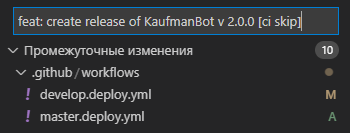
git push
Merge feature/73 branch to develop
git checkout develop
git merge feature/73
git push
Deploy production
Create release
npm run app:create-release
Merge release to master
git checkout merge
git merge develop
git push
Check production bot from telegram

In next post I will publish all libraries to npm registry, and create sample repository with use them...


Top comments (0)