


1) This is my most favorite and most frequently used shortcut.
⌘-D/ctrl-D
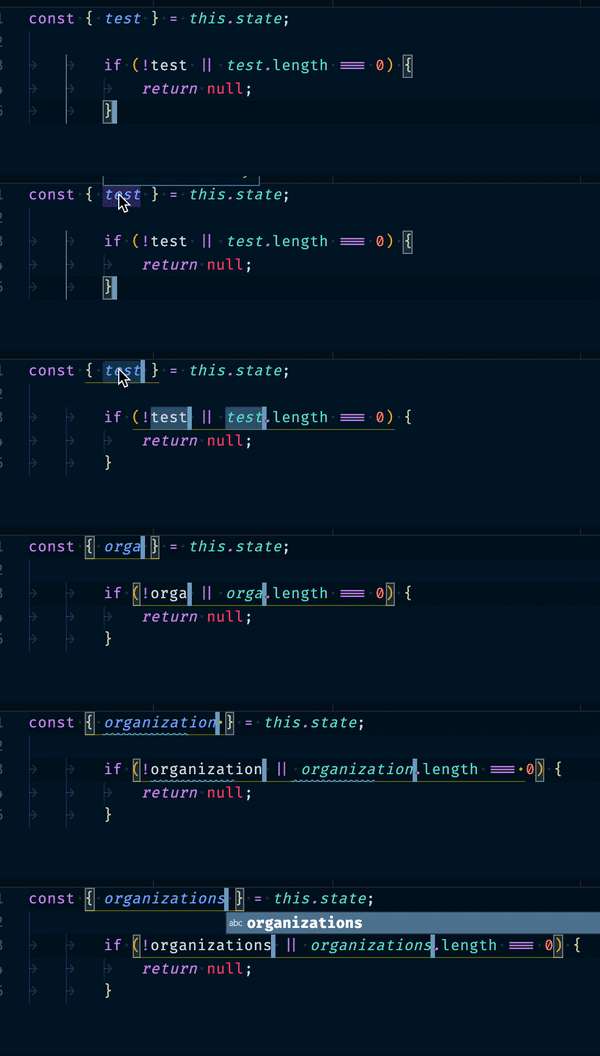
First, select the text and then enter command-D to find the instances of similar text.
2) Let's say we are in the huge file and we want to quickly shift to config or function or type etc this command is most use full
⌘-shift-O/ctrl-shift-O
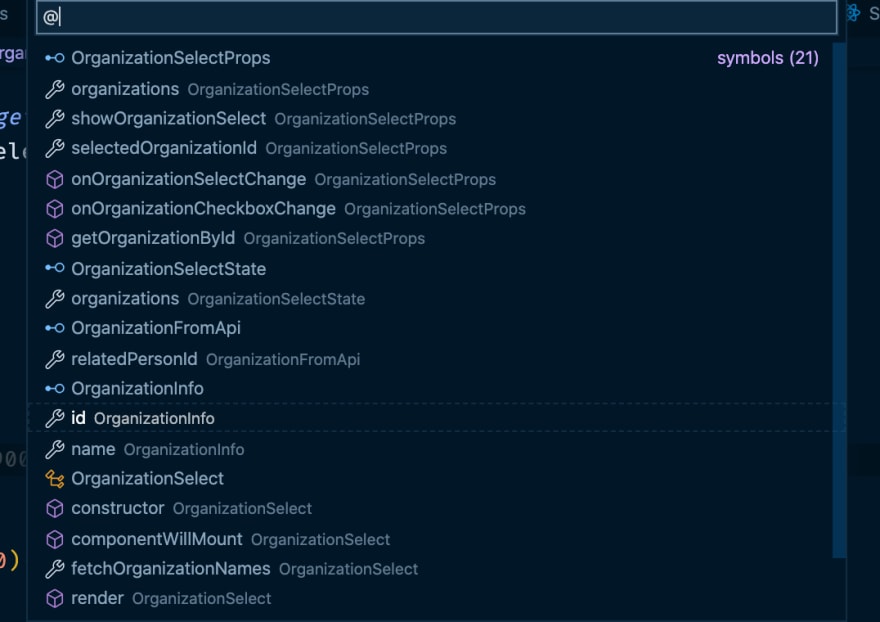
3) When we want to quickly jump to a specific line number.
control-G/alt-G

4) Searching the text in the entire project.
⌘-shift-F/ctrl-shift-F
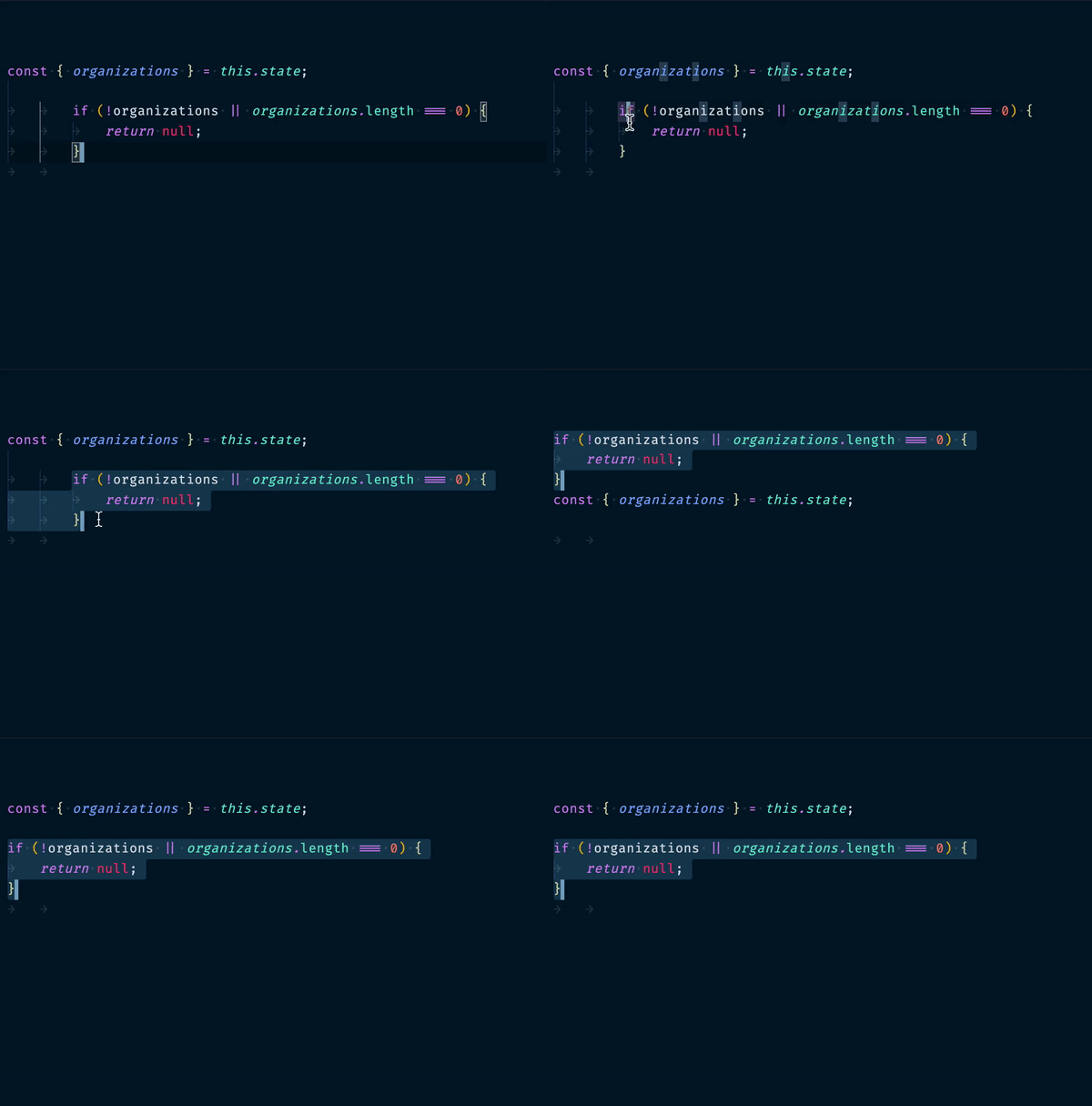
5)Have you tired of copying the block of code and pasting code above or below some code. Then this command is for you.
control-up-arrow or control-down-arrow
alt-up-arrow or alt-down-arrow
6) Have you ever wondered how to delete a line quickly in vs code
⌘-x/ctrl-x
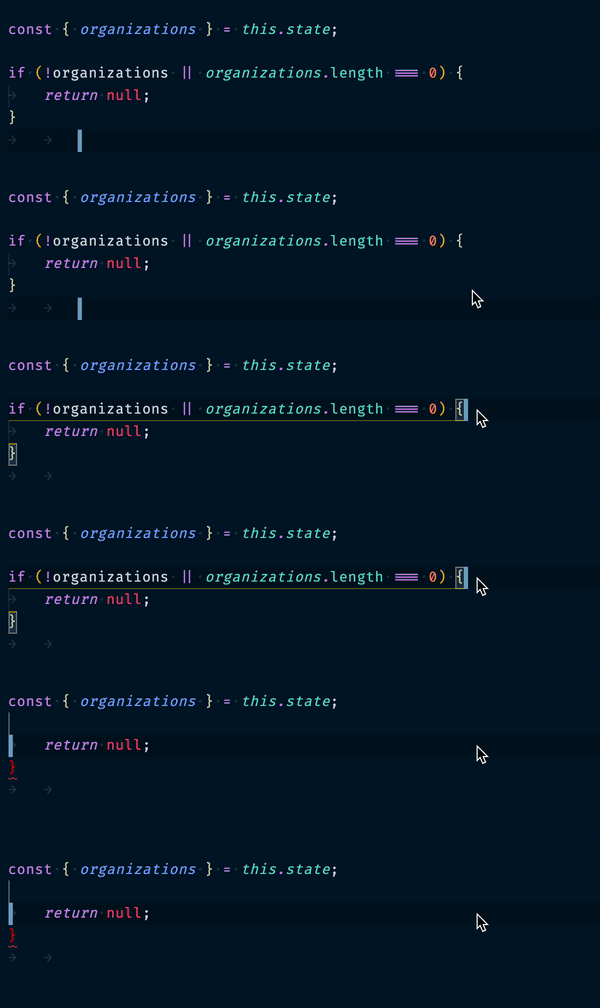
one more advantage it also copies that line for you.
note: if you want to delete a line without copying then use
⌘-shift-k
7) Selecting word , this command is most powerful 🏎 when it is combined with the first example
shift-option-left-arrow/shift-option-right-arrow
shift-alt-left-arrow/shift-alt-right-arrow
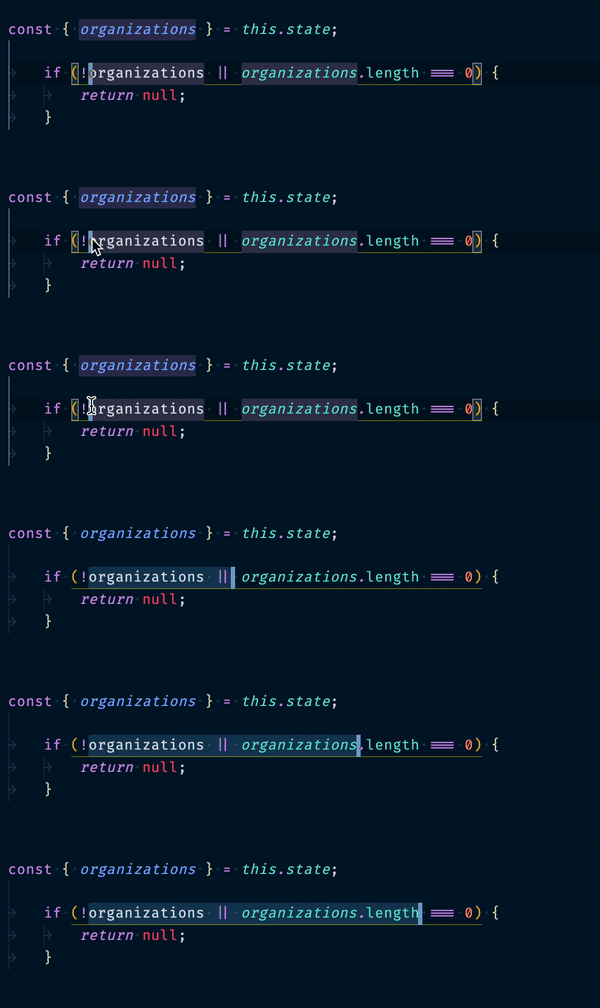
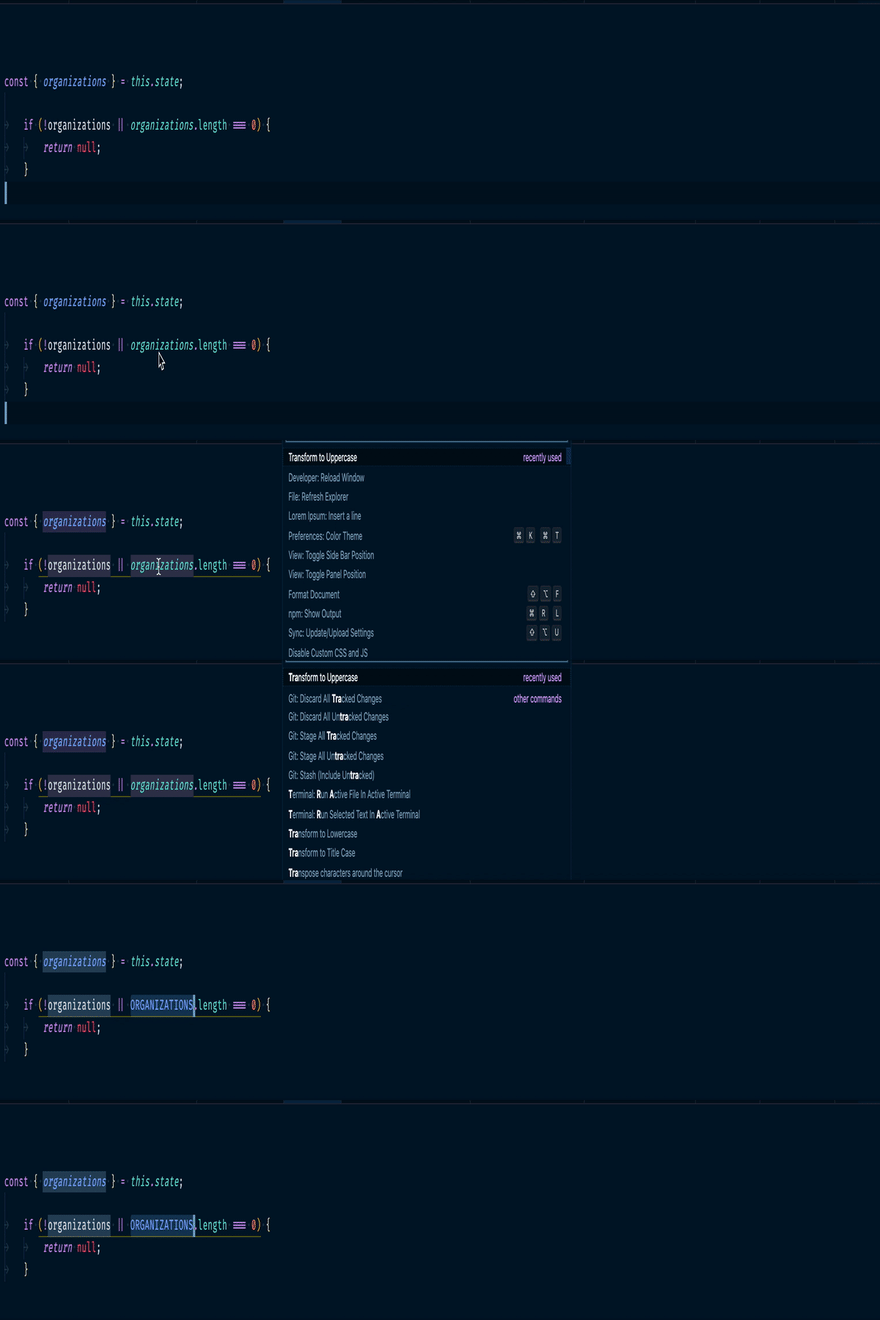
8) Have you ever come across situation where you have declared all constants as lowercase and you have to make them upper case.
⌘-shift-P/ctrl-shift-P  ->To open command pallate
search for Transform to Uppercase
9) When you are working on different files and you quickly want to get back to the previous file
⌘-P-P/ctrl-P-P
10) Search with the file name
⌘-P/ctrl-P


Top comments (6)
Well, number 7 isn't VS Code shortcut, it works across whole system :)
Very good! Congratulations!
Thank you 😊
Nice !!
In addition to nr 2): you can add ‘:’ after ‘@‘ in order to group the symbols in your file by variables, methods, functions etc..
Otherwise, thanks for sharing!
👍🏻